Appearance
General Settings
Admin only
On this page, Users can see and update:
- Collector Local Timezone, used for dashboard display and date-range controls.
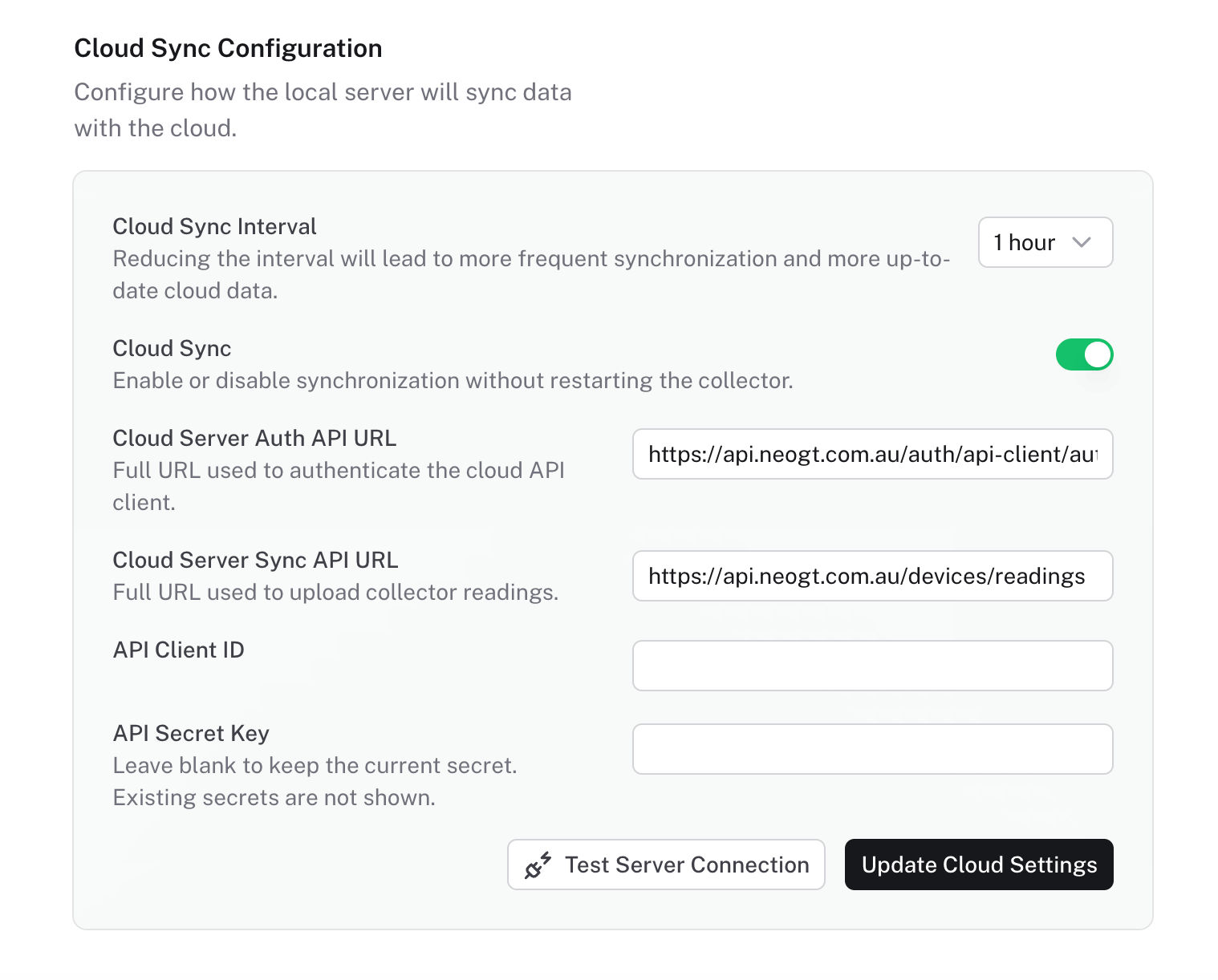
- Cloud Sync Interval, used to control how often the collector uploads readings.
- Cloud server settings.
- Test Server Connection, used to validate cloud sync settings before or after saving.
Stored readings remain in UTC. Changing the Collector Local Timezone only changes how timestamps are displayed in the dashboard.
INFO
Use this page after creating collector credentials in NeoGT Cloud, when changing the site timezone, when disabling cloud sync for maintenance, or when troubleshooting delayed cloud data.